Hundreds of listings, one table.
Internally we call it BLING, short for Bulk Listings Next Generation: one table where sellers create and edit many listings at once, instead of the traditional way of going one listing at a time. It’s built mostly for business sellers with big inventories, and I led design for it for most of my time at eBay, from untangling a dense, error-heavy table to using AI and vision to draft listings straight from photos.
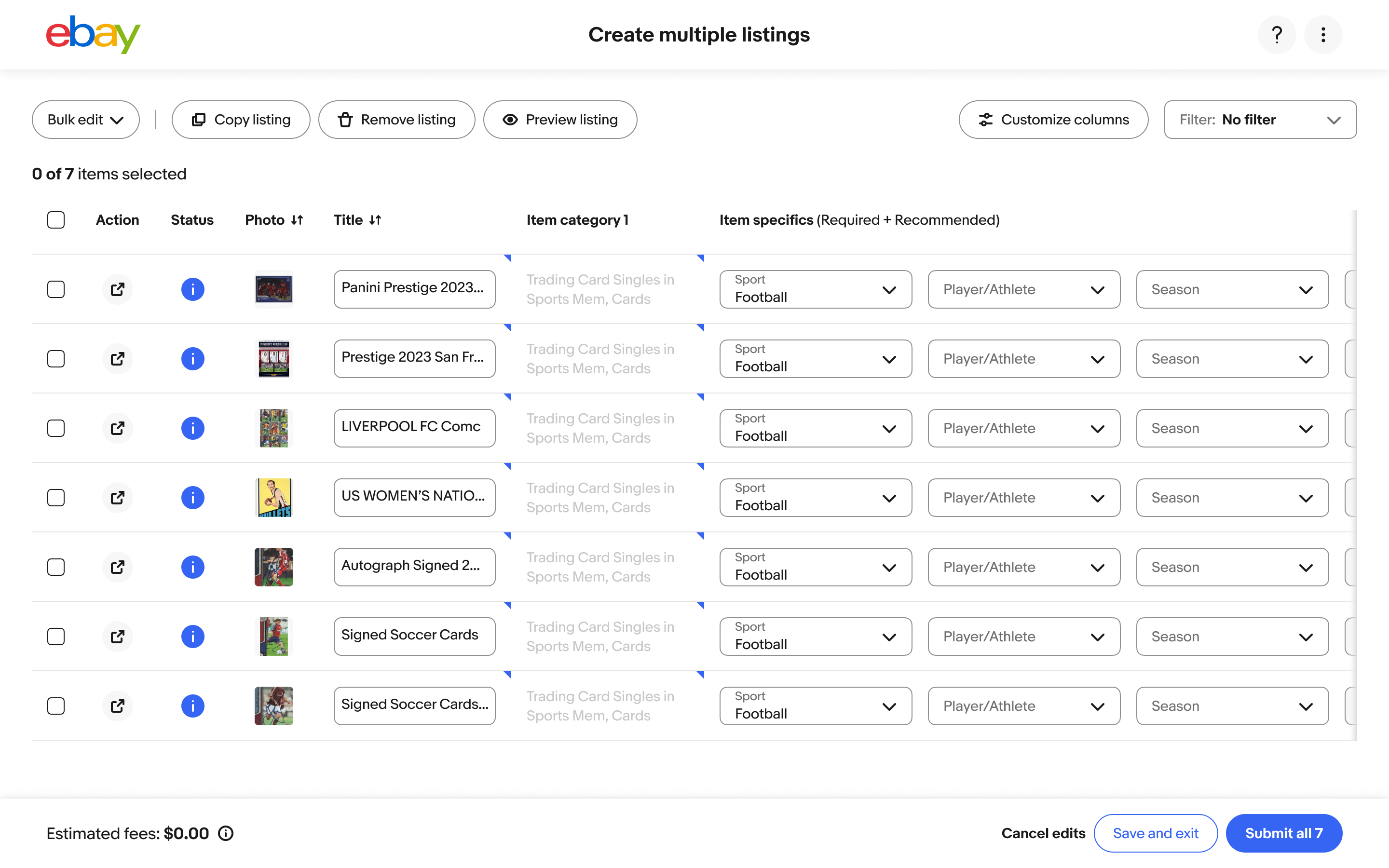
Powerful, but hard to love.
The tool could do a lot. But it was dense, errors were hard to understand and many changes still had to be made one listing at a time, which is exactly what sellers came to the tool to avoid.
- Before
- Today
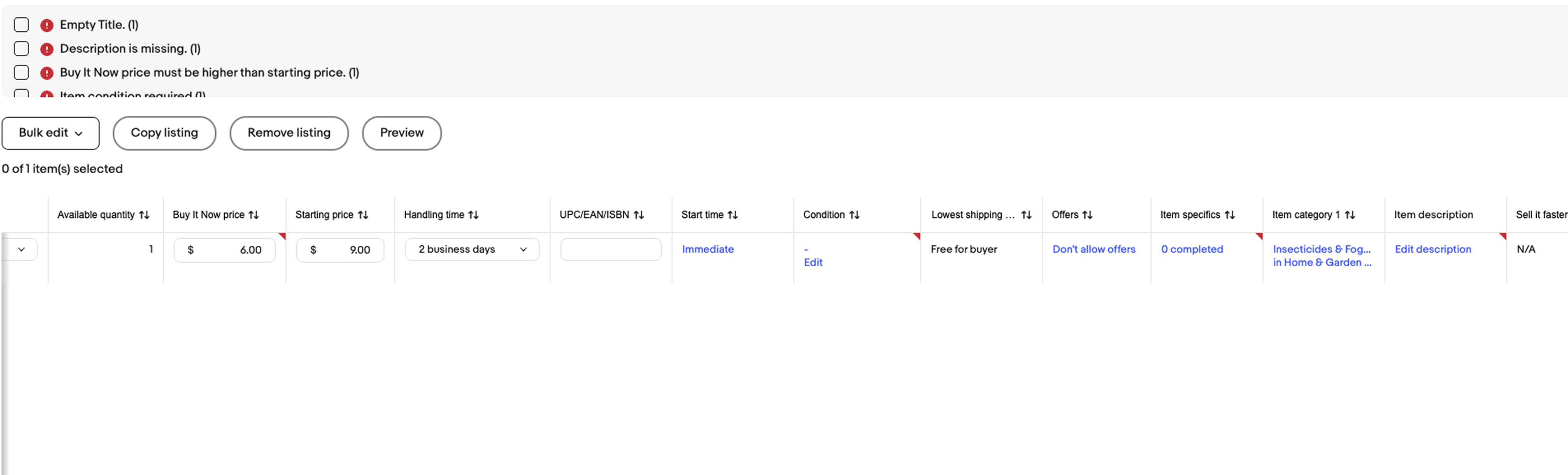
Errors far from their listings. Errors stacked up at the top of the table, far from the listings they belonged to, and sellers scrolled sideways through dozens of columns to find the problem.
- Before
- Today
Errors far from their listings. Errors stacked up at the top of the table, far from the listings they belonged to, and sellers scrolled sideways through dozens of columns to find the problem.
- Before
- Today
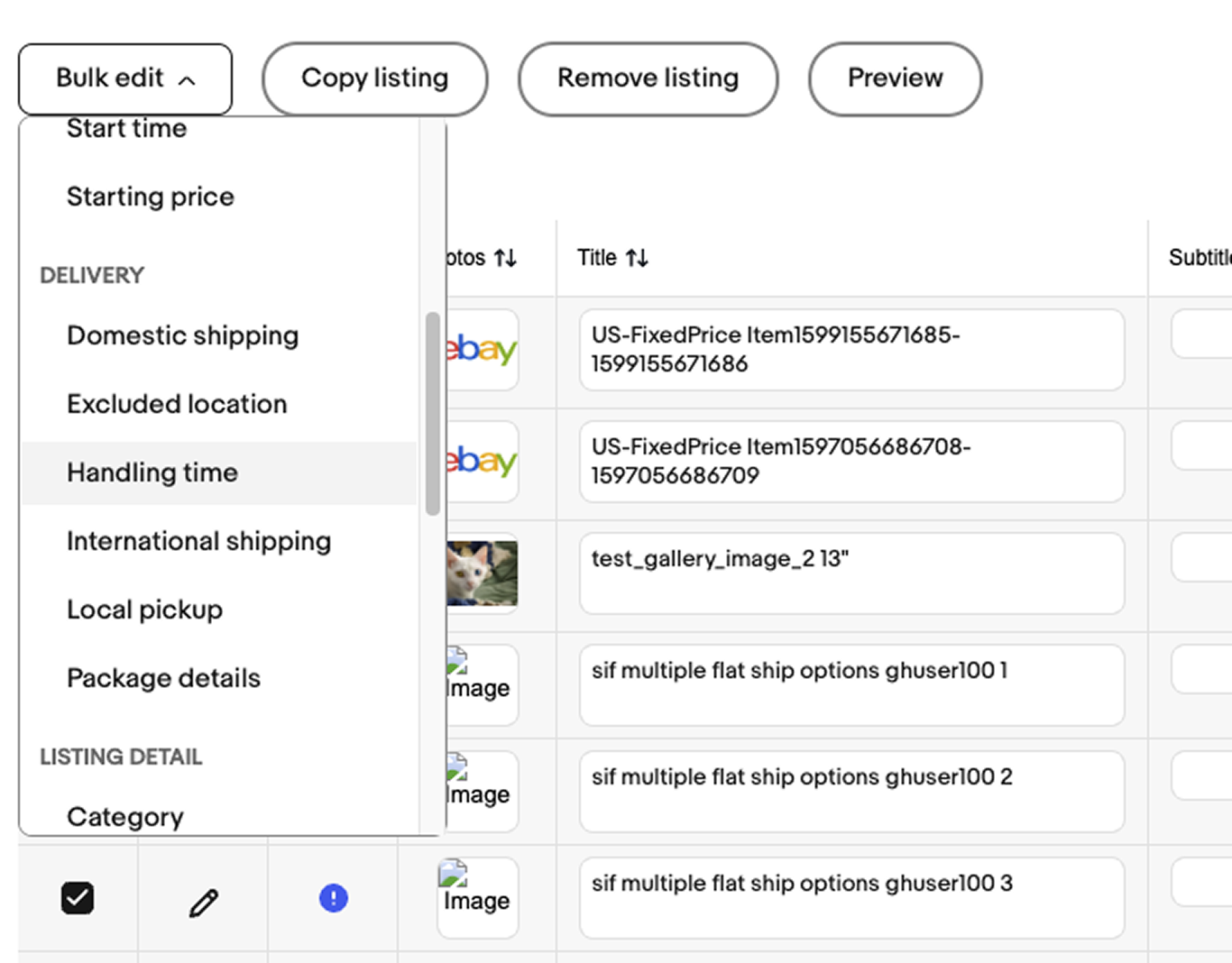
One long menu. Bulk edit opened a long list of every field sellers could change, all in one scrolling menu.
- Before
- Today
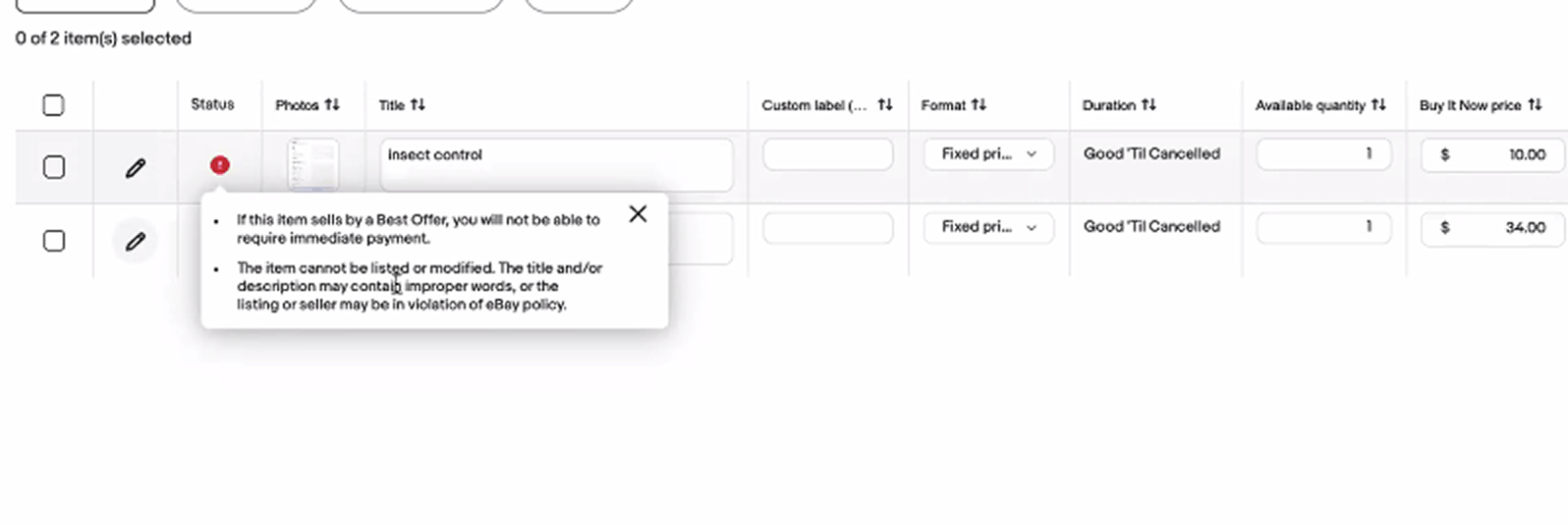
Errors without answers. Messages told sellers something was wrong, but not what to do about it or how to fix it.
- Before
- Today
Sticky columns. I suggested pinning the checkbox, edit, status and photo columns, so as sellers scroll sideways, they never lose track of which listing each field belongs to.
- Before
- Today
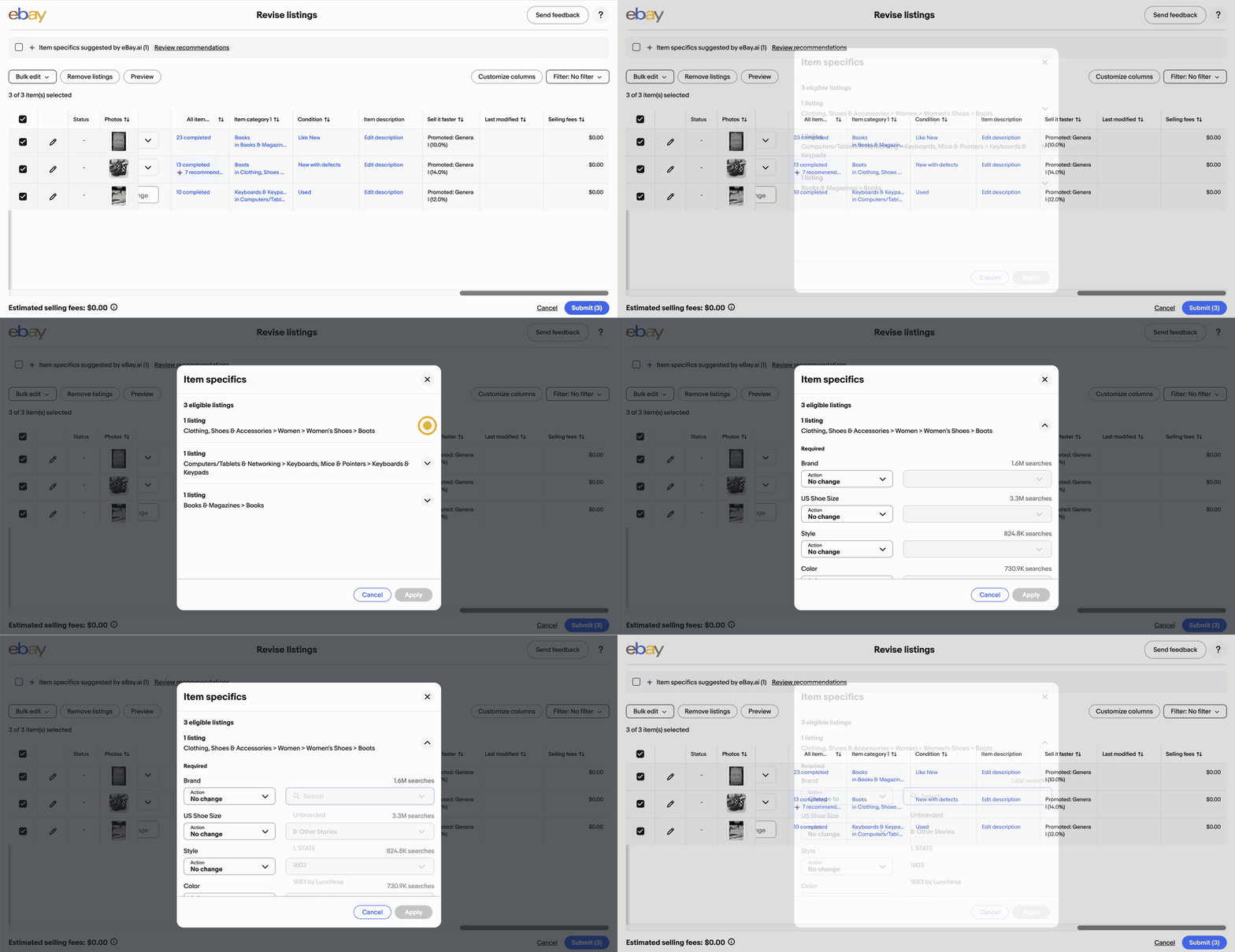
Edits grouped by what they share. Selected listings are grouped by category, so sellers only see the item specifics that apply. For each field they pick an action, like Change to, and search counts show what buyers look for most.
We asked sellers in the tool what they wished was easier. Answers came in every mood, and four themes kept coming up.
You have to input everything, on single entries… why not one page only with all the entries.
Too many steps
Sellers wanted one page and fewer clicks, not filling in fields listing by listing.
Missing bulk actions
Store categories, postage costs and shipping profiles still meant editing one listing at a time.
Hard to trust
Slow photos, sticky scrolling and fields that reset made sellers wonder if it was saving them time at all.
Errors without answers
Messages flagged problems but didn’t point to the fix, or the listing it belonged to.
From an in-product survey asking sellers what they wished was easier. Lightly trimmed for length.
Giving BLING a seat at the table.
Bulk editing was easy to forget about inside eBay. People often asked me how it worked, so I made sure it had a voice, joining nearly every meeting between the post-listing and listing teams to spot where BLING could benefit and keep it in the conversation.
- 1Owned by another teamBLING belongs to the listing team, which owns creating and editing listings. They were short on designers, so they handed it to me while I was on a different team.
- 2A team of its ownI had a dedicated PM and engineering team just for BLING, and we worked through it in small pieces, one area at a time.
- 3Matching the single-listing flowI stayed in close contact with the designers working on single listing editing, learned what they were changing, then translated it into bulk so the two experiences matched.
- 4Juggling two rolesAll while still designing for my own team, post-listing, which covers managing listings after they’re published.
From one tool’s needs to a design system component.
I kept reminding the design system team that BLING existed. Over several meetings, I walked them through how it works and shared research on tables. That work helped kick off a new table component anyone at eBay could use. The Orders and Listings teams rebuilt their tables with it, and it’s now showing up in other flows too.
If it’s hard to explain, it’s hard to use.
Over time, BLING had gotten so complex that even explaining it to leadership was a challenge, so my director and manager asked me to rethink it. Their question: what if bulk editing could size itself to the content a seller was editing?
Today, every bulk edit opens in the same size modal, whether it’s a long list of item specifics or four simple price options. My vision matched the container to the job: quick edits stay small and light, and bigger ones get the room they need.
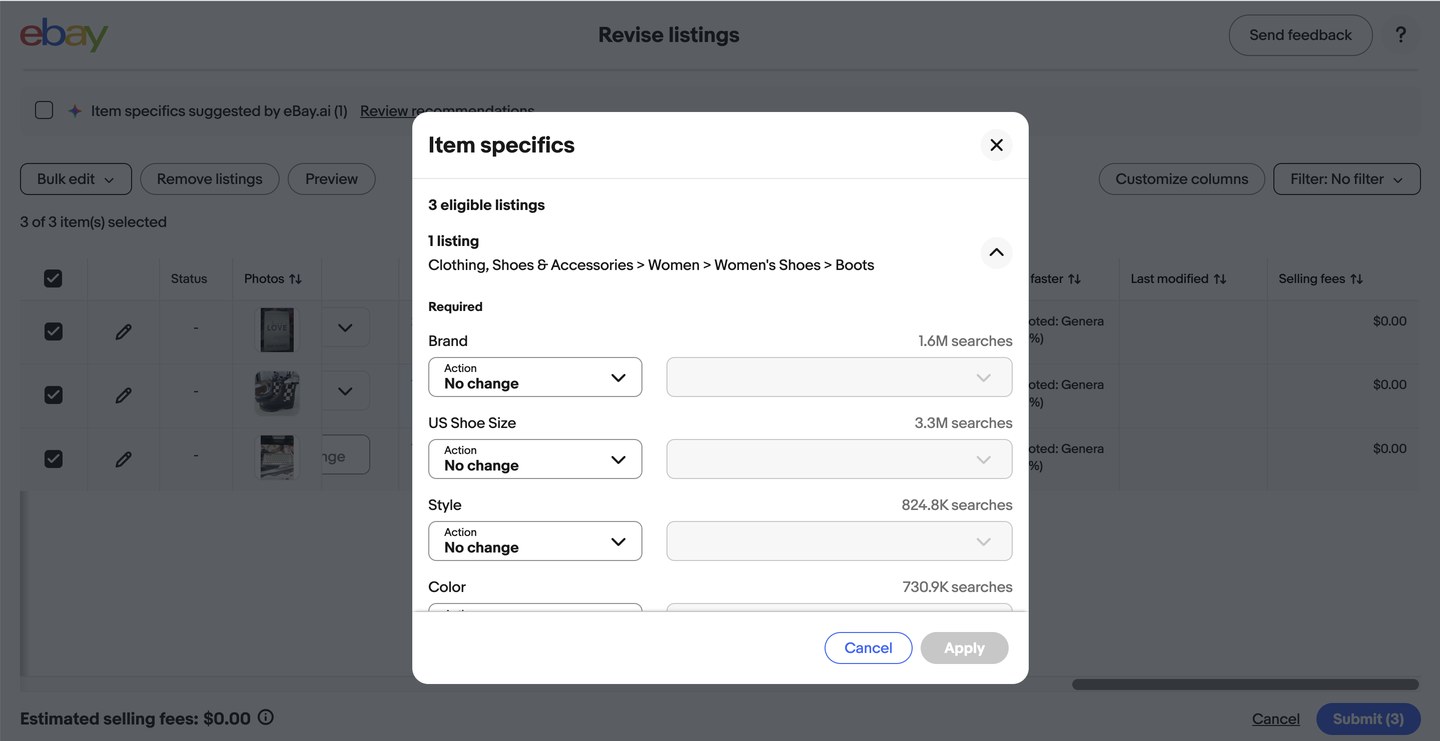
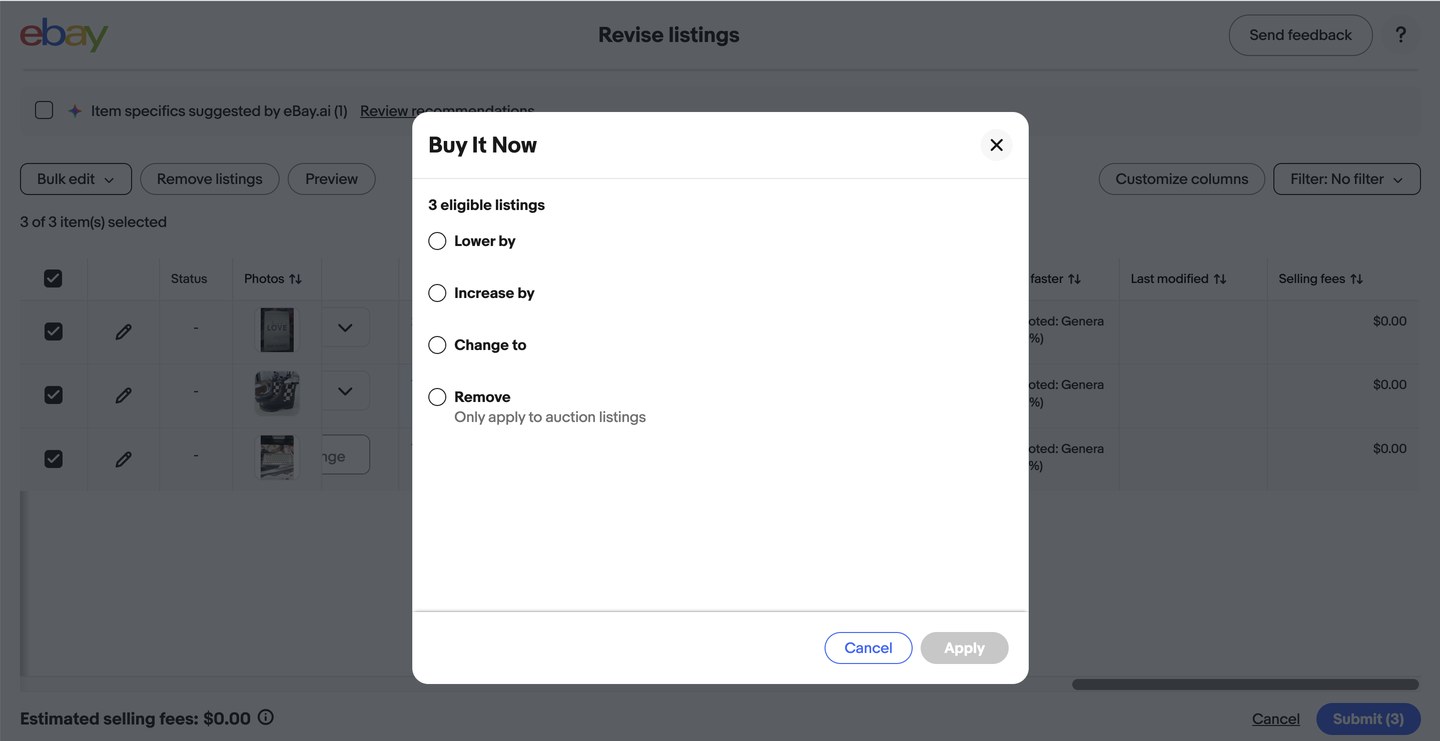
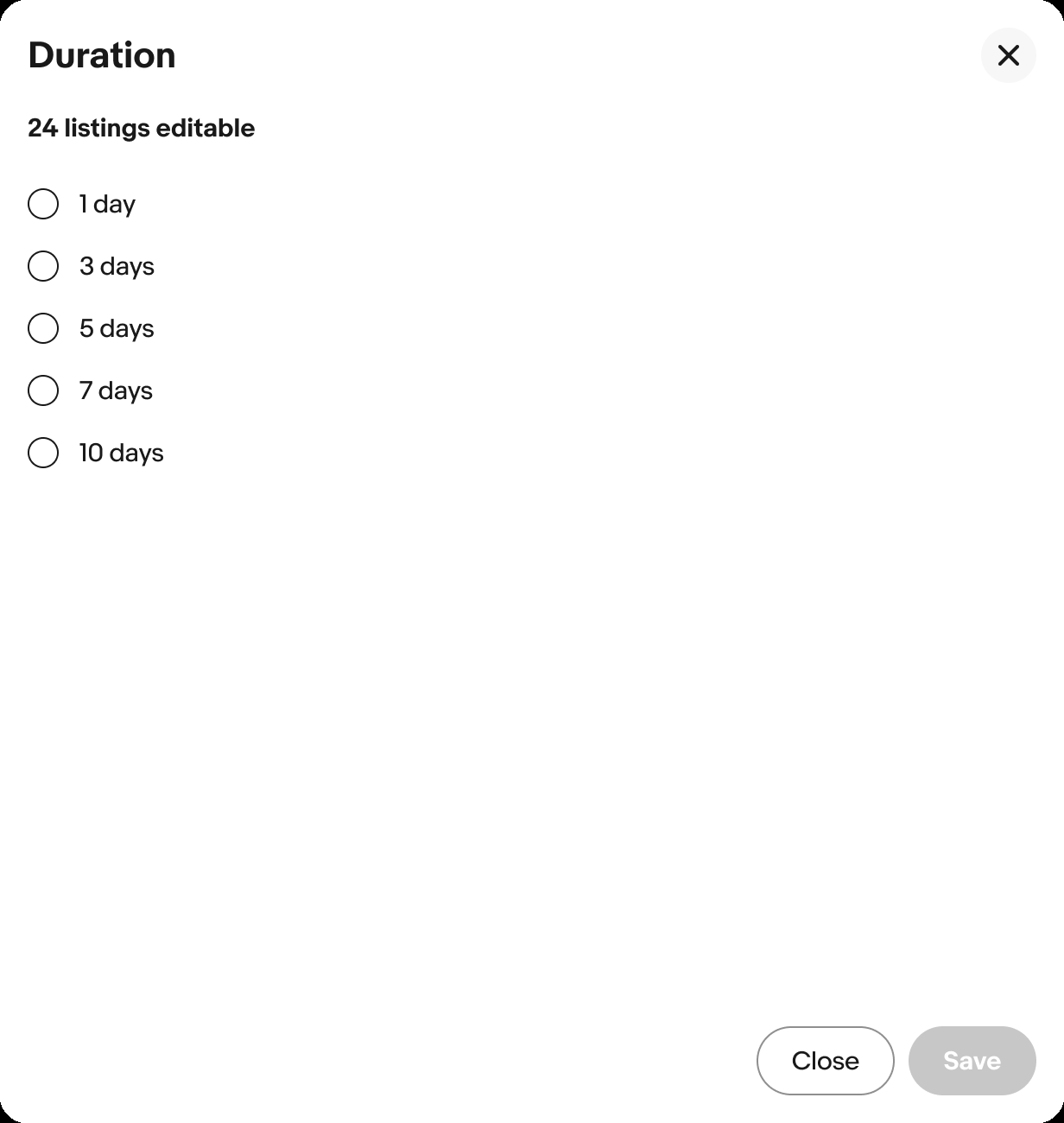
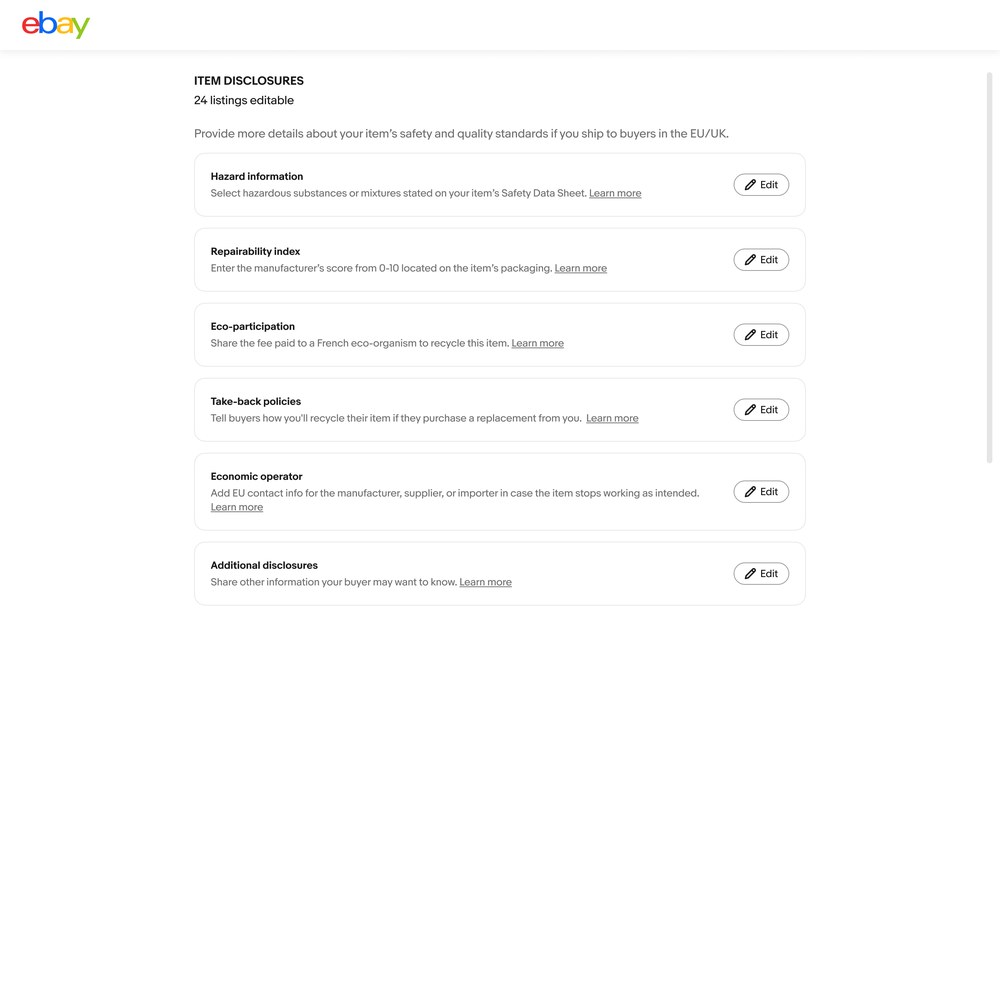
Size to the content
Simple edits open in a small, focused space. Bigger ones, like the item disclosures flow below, get a full page with room to breathe.
Leading on my own
My product manager was out for six months, so I carried the vision from concept through testing with sellers.
Sellers chose the vision
In testing, sellers said they preferred the new vision over the tool they were using today.
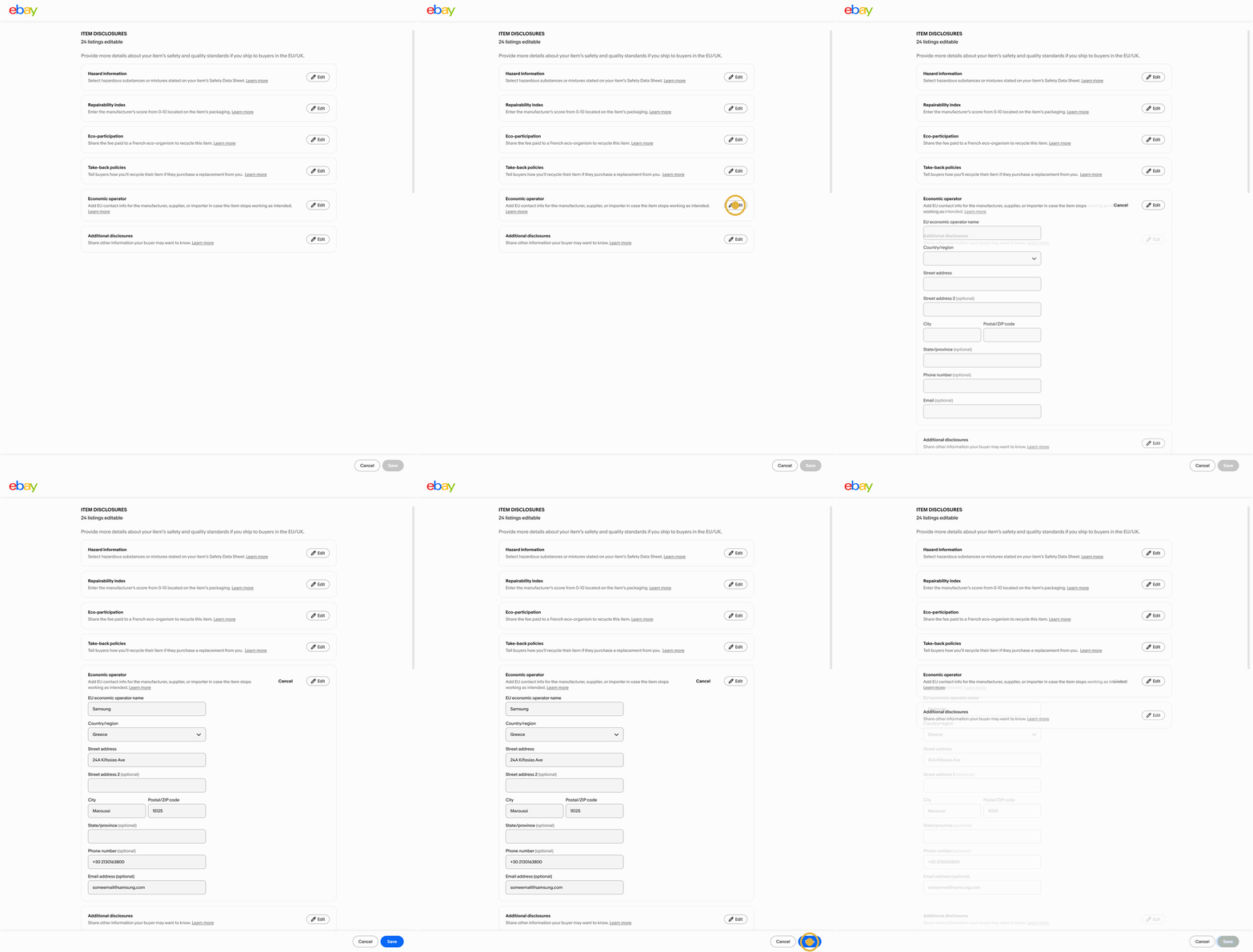
- Fill it in onceSellers add details like hazard information or an EU economic operator one time, and it applies to every listing it fits.
- One topic at a timeEach disclosure has its own card with a short explanation, so sellers only open what applies to them.
- A pattern that scalesThe same approach works for other details that change across many listings, like the shipping and category edits sellers asked for.
From rethinking BLING to Magical BLING.
As often happens, priorities changed. The team switched gears to a bigger bet: letting sellers skip the typing altogether.
Magical BLING: let the photos do the first draft.
With Magical BLING, sellers upload photos and AI fills in draft listings for them. Instead of starting from a blank table, they start from what the camera already knows. It was the last thing I worked on before switching teams.
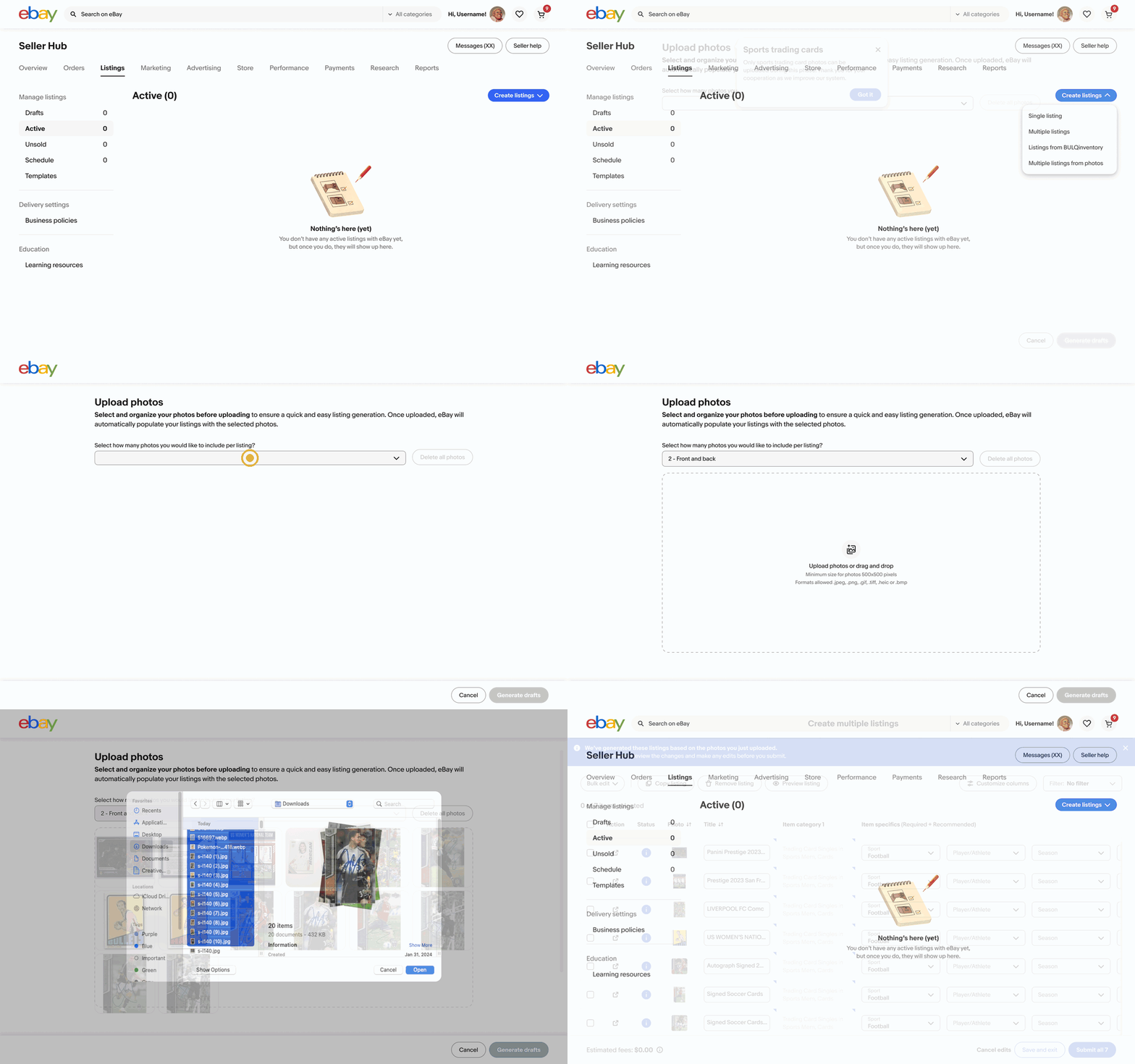
Start from photos
Sellers drop in a whole batch of photos, and eBay pairs them up and drafts a listing for each one.
Front and back
Sellers choose one or two photos per listing, so a card’s front and back stay together.
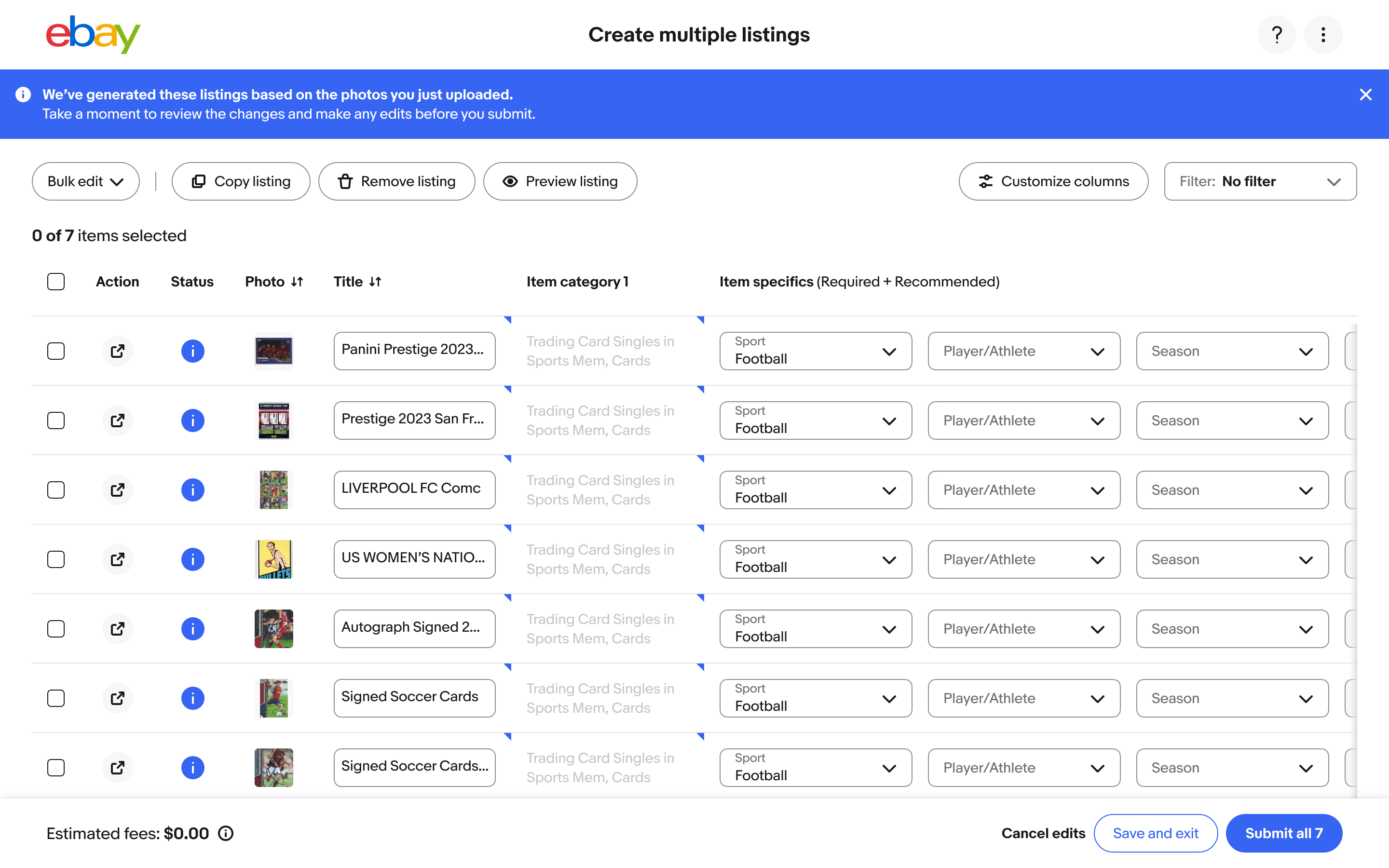
Review, don’t retype
Titles, categories and item specifics come pre-filled, with a clear note to review before submitting.
Why trading cards
Sports trading cards were BLING’s most popular category, since sellers list cards in big batches, and our catalog data for cards was strong. So that’s where Magical BLING started.
Bigger than one tool.
BLING taught me as much about working across teams as it did about tables.
The table component BLING helped start is now rebuilding Orders and Listings, and it’s spreading to other flows across eBay.

- How to juggle teams and projects. Owning BLING for the listing team while designing for post-listing taught me to switch contexts and keep everyone aligned.
- Knowledge is key. People forgot how bulk editing worked, so being the one who knew it made me the go-to for questions across teams.
- Give your area a voice. Showing up to meetings and listening for where BLING fit kept it from being left behind.
- Advocacy builds systems. Consistently sharing BLING’s needs with the design system team turned into a table component every team can use.