Helping sellers start selling smart.
Seller Center is where eBay sellers go to learn what, why and how to sell. When it moved to a new content system, I took the chance to rebuild it on eBay’s design system, rethink how it was organized and create a module kit any team could use.
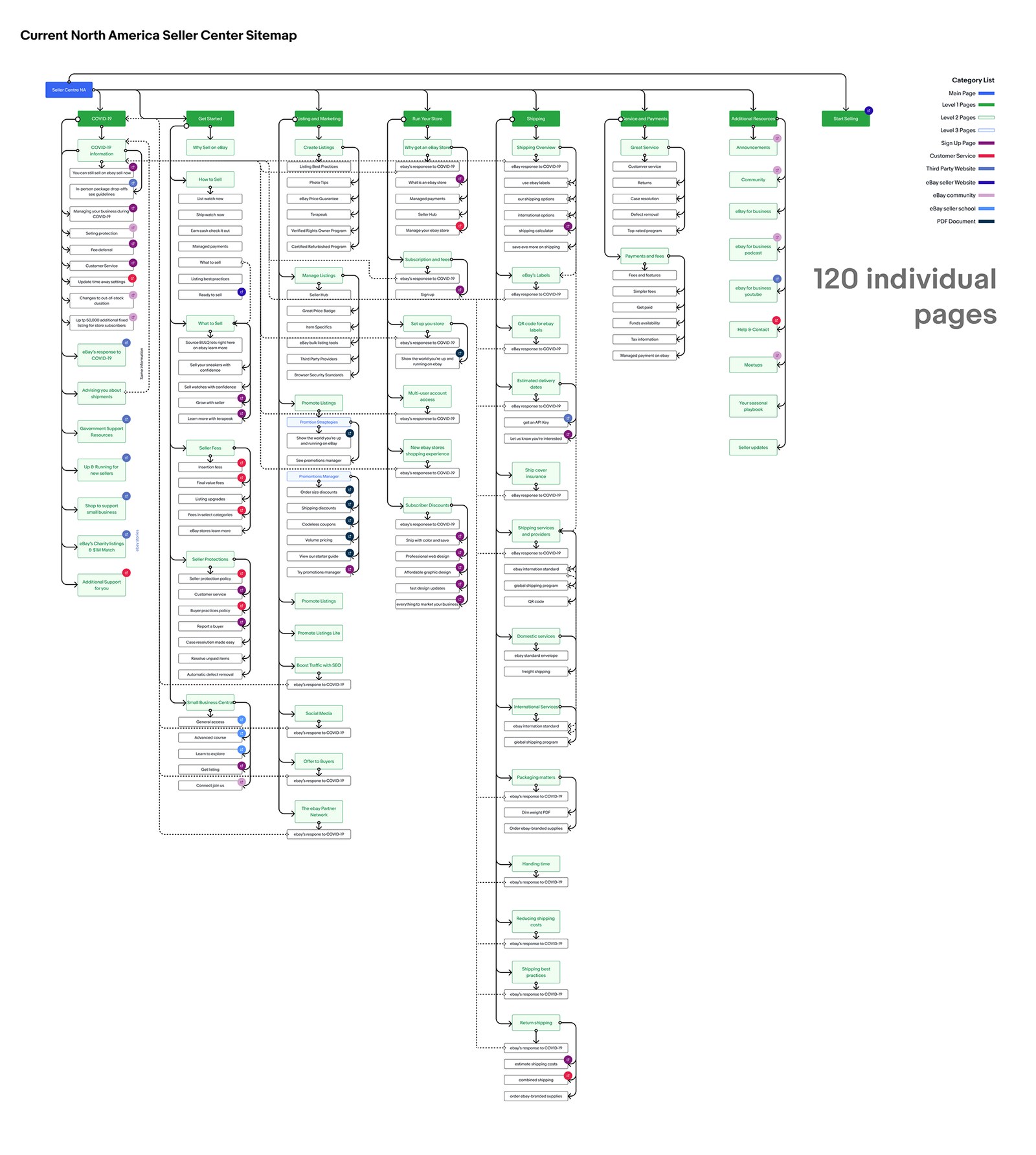
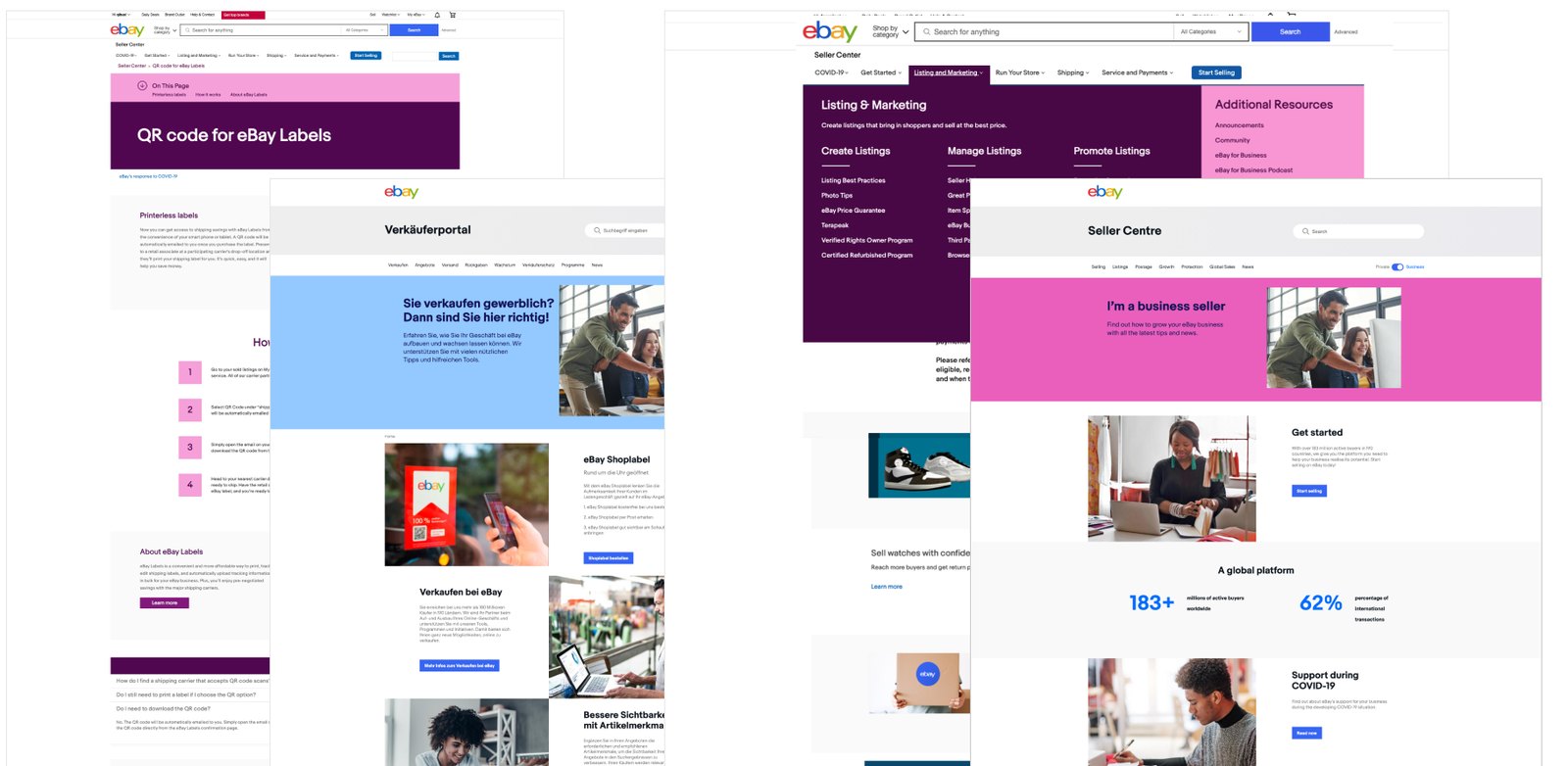
A lot of great information, but hard to find your way through it.
Seller Center is where sellers find up-to-date information on new and existing selling tools. In 2021, the goal was to move it to a brand-new content system so every country’s Seller Center could stay consistent. Our team saw a bigger opportunity: build a set of reusable modules and guidelines, and take a fresh look at how the site was organized.
- It only spoke to one learning style.
- Helpful channels like Seller School and the community were hard to discover.
- The homepage didn’t tell new sellers where to start, or show existing sellers what’s new.
What other marketplaces get right (and wrong).
I looked at how Etsy, Shopify and Amazon teach their sellers, and held eBay’s own Seller Centers to the same standard.
Etsy
- Just enough content to cover the essentials
- Real seller stories and helpful illustrations
- A Seller Handbook
- Few paths to in-depth information
- “Learn more” jumped to a separate help center without warning
Shopify
- Easy to scan, with fixed and side navigation
- Content for different learning styles
- Seller testimonials break up long pages
- Help inside the seller tool sent people out to search
- No way to reach their seller center from the tool
Amazon
- Simple, inspiring categories
- A detailed beginner’s guide and anchor links
- Consistent modules on every page
- Dense on smaller screens
- Seller University locked behind an account
- Two landing pages before the real information
How eBay compared
| Seller center | Simple navigation | “School” for sellers | Seller stories | Marketing focus | Mobile friendly |
|---|---|---|---|---|---|
| Etsy | – | – | |||
| Amazon | – | – | |||
| Shopify | – | ||||
| eBay | – | – |
Turning research into a plan.
The research pointed to eight clear opportunities, which we boiled down into three product tenets to guide every decision.
- 01Take a goal-oriented, educational approach to simplify navigation.
- 02Add SEO-friendly category landing pages.
- 03Create a pattern and layout library so every page stays consistent.
- 04Offer both quick overviews and deep dives, for new and experienced sellers.
- 05Share in-depth seller stories that show success is within reach.
- 06Mix illustrations, icons and images to support different learning styles.
- 07Add an entry point from Seller Hub, sellers’ number one place for help.
- 08Point sellers to videos, Seller School, the community and forums.
Our product tenets
Design for different learning styles
Seller Center should be a place where every seller can learn best practices and find helpful resources, in whatever way works for them.
Build responsive modules that adapt to the content
Modules should look modern and polished no matter how much content goes in them or what device a seller is on.
Create guidelines for consistency
Clear pattern and layout guidelines let teams across eBay reuse this work, so every new page is easy for sellers to understand.
Two phases, starting with the foundation.
Support the North America site migration
- A module library to keep new pages consistent
- Detailed pattern and layout guidelines
- Navigation improvements
Improve in-product education
- Make it easier to get help right inside eBay’s selling tools
A kit of modules that scale.
Instead of designing 120 one-off pages, I designed a small set of flexible modules that could be stacked to build any page. I worked closely with the design system team on every one, and showed them new ways to use their components and colors that they hadn’t explored yet.
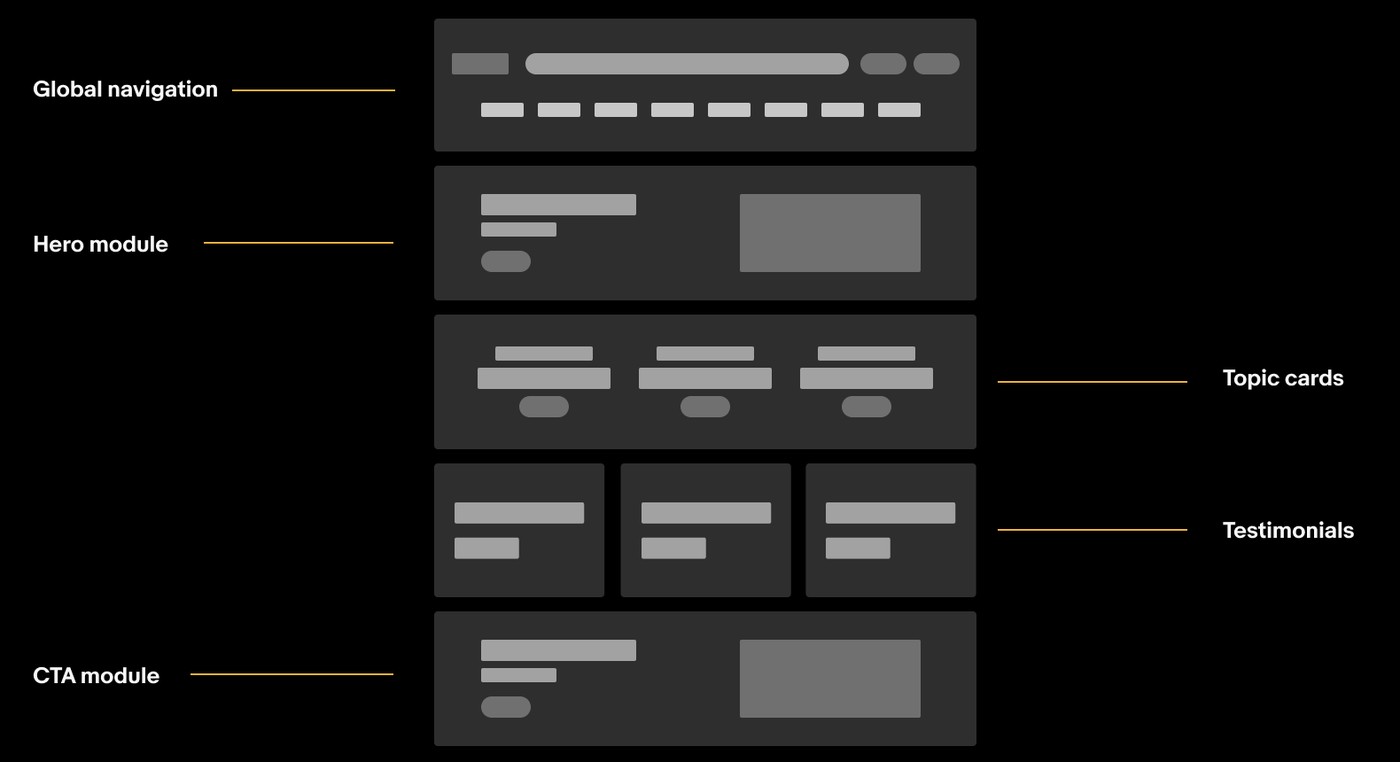
The whole kit on one page
This template shows every module in the library, from heroes and stats to tables, carousels, FAQs and footers. Teams could start from it, swap in their own content and have a consistent page in a fraction of the time.
Scroll inside the frame to see every module.

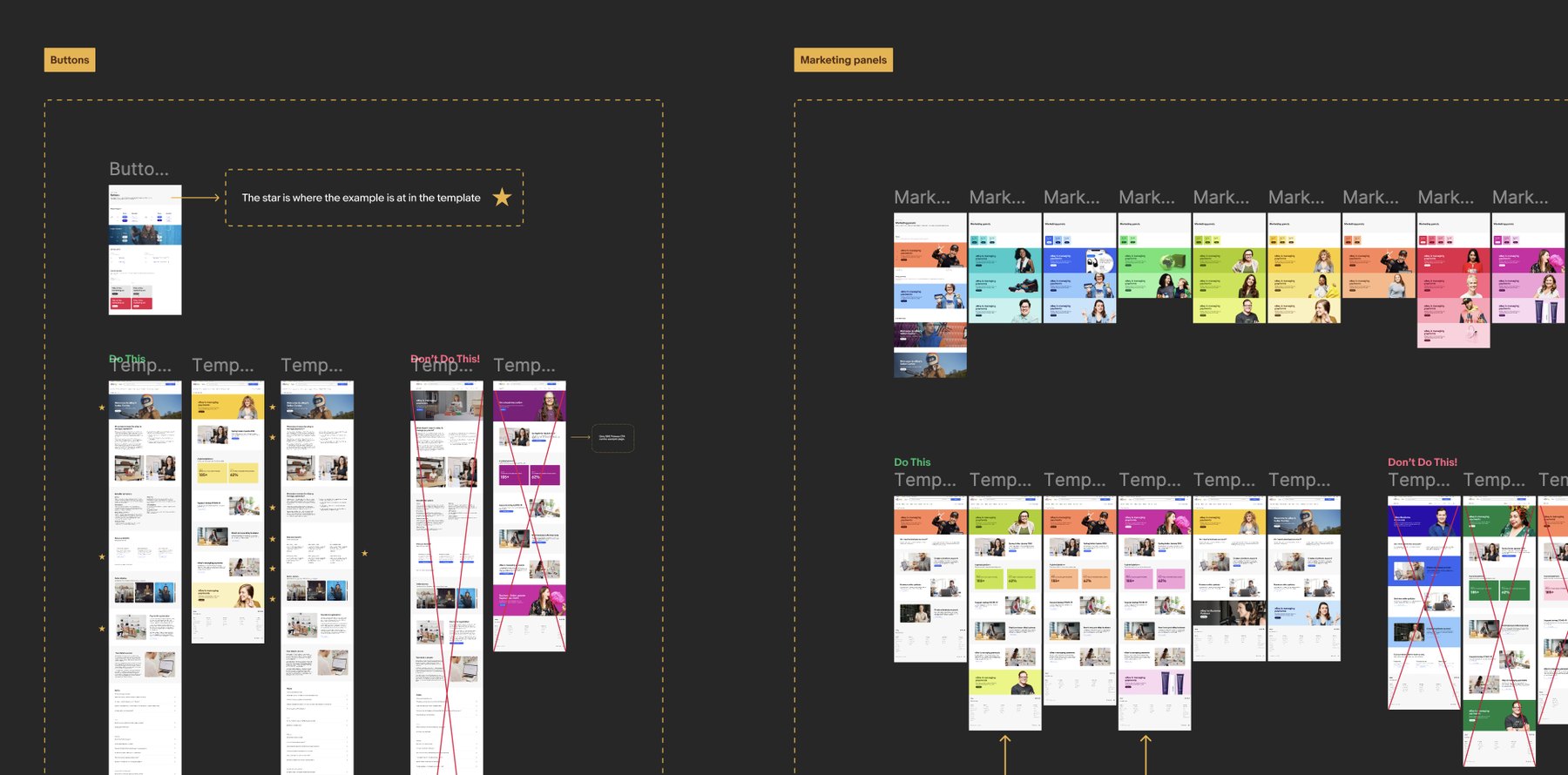
Guidelines anyone could follow
Every module came with clear do’s and don’ts, plus examples of where it lives in a real page template. That way, teams across eBay could build new pages without needing a designer in the room.
From eight sections to five clear goals.
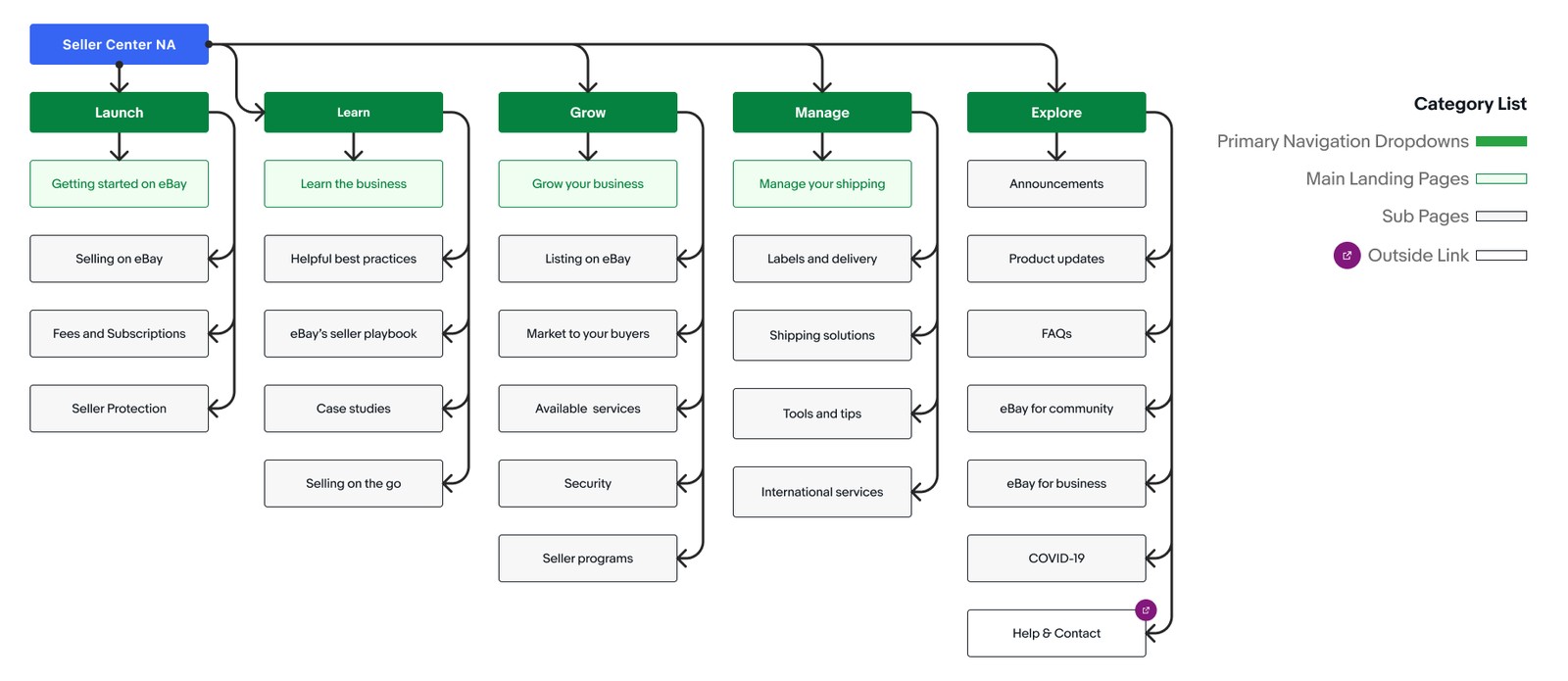
I proposed a simpler structure built around what sellers are trying to do: Launch, Learn, Grow, Manage and Explore. Each section gets one landing page, with sub-pages underneath. We didn’t adopt it in this round, but it’s ready for when the time is right.
A homepage that finally gives sellers direction.
Built entirely from the new modules, the redesigned homepage leads with what’s new, then guides sellers to the playbook, seller stories, Seller School and more. The same modules adapt to mobile, so sellers get the same experience on any screen.


Scroll inside each frame to see the full page.
Work that kept paying off.
A module kit any team can use
I created a reusable module library with guidelines that teams across eBay still use today, and people regularly ask me to share it for their own projects.
Built to scale globally
We designed the modules with teams across eBay’s global sites so they hold up in many different scenarios.
Works on every screen
Because the guidelines cover multiple device sizes, any page built with them works on mobile web and in the app too.
As my first project at eBay, this one taught me a lot, and not just about design.
- How selling really works. Digging into every page gave me a crash course in what sellers need to succeed, which shaped everything I designed after.
- How to get things done at a big company. I learned who to bring in, when, and how to keep work moving across teams.
- How to collaborate across time zones. Working with teams around the world meant clear handoffs and making the most of overlapping hours.
- How to present my work. Lots of stakeholder conversations made me much more confident sharing ideas and the reasoning behind them.